Rustbox vs E2B: Choosing a Sandbox for AI Agents and Untrusted Code
Compare Rustbox and E2B for AI agent sandboxes, secure code execution, latency, persistence, custom environments, and untrusted-code workloads.
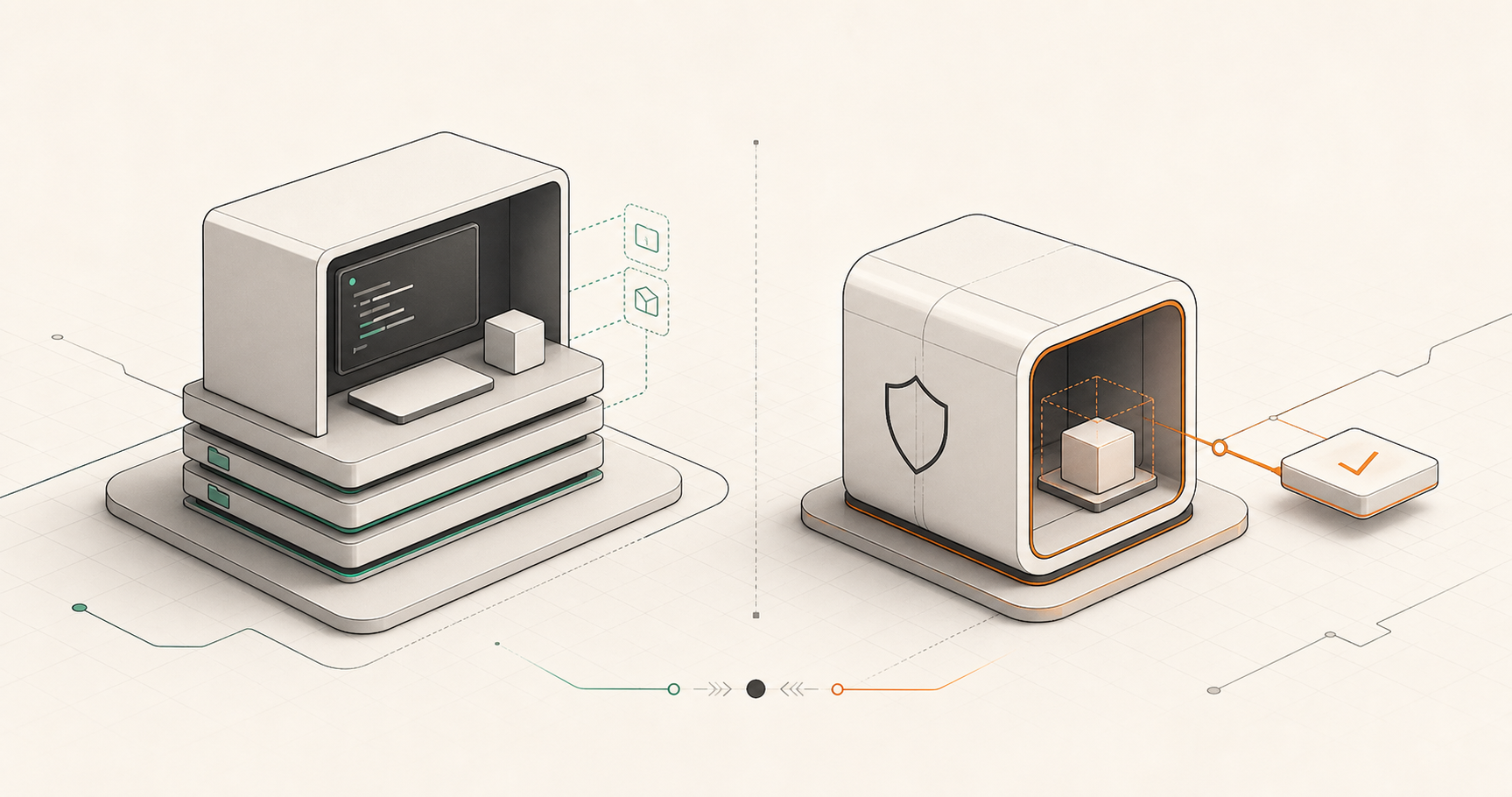
Rustbox and E2B both give AI systems a safer place to run code. However, they are built for fundamentally different workloads. E2B is closer to a full developer workstation for agents, while Rustbox is a highly focused cloud runtime optimized for fast, bounded execution of untrusted code from users, products, and LLM SDK workflows.
Quick answer: Rustbox or E2B?
The choice comes down to workload scope: Are you building a persistent workspace for an agent, or a fast execution boundary for a product?
Choose E2B when:
- Your agent needs terminal access and a full Linux environment.
- State (files, git, installed packages) must persist across turns.
- You need a sandbox that supports custom Docker templates.
Choose Rustbox when:
- You need to run untrusted code quickly and return a clear verdict.
- Low latency (milliseconds) is critical for candidate grading or user APIs.
- You want a managed product API with zero infrastructure overhead.
What each product is built for
E2B describes its sandbox as a fast, secure Linux VM created on demand for agents. Its SDK and documentation are directed at building coding agents, executing file operations, operating full interactive shells, and handling complex multi-step developer operations.
Rustbox is designed to be narrower and faster. You send a code payload, choose one of the curated languages, pass optional standard inputs, and receive a structured result with stdout, stderr, execution time, memory usage, limits, and a specific verdict (e.g. `accepted`, `time_limit`, `memory_limit`, `runtime_error`).
"A coding agent editing a repository for 20 minutes benefits from E2B's persistent workspace. A product executing a Python snippet to validate an answer or grade a student submission benefits from Rustbox's rapid, managed code execution boundary."
Sandbox isolation models
E2B relies on Firecracker-powered microVMs. This model isolates execution at the VM level, providing standard Linux file layout, shells, and package capabilities inside an isolated virtual container. It is a powerful pattern when an agent behaves like a human developer—running arbitrary packages, running custom background tasks, or interacting with a virtual disk.
Rustbox focuses on a secure sandbox boundary optimized specifically for rapid-fire code runs. The internal architecture uses kernel-level isolation (utilizing cgroups, namespaces, and seccomp profiles) to control CPU, memory, processes, and network egress boundaries. To preserve our strict defensive posture, this article intentionally does not repeat the exact sandbox construction details, as our architecture represents a core element of Rustbox's defense-in-depth model.
Latency and session shape
WORKLOAD latency is highly dependent on environment startup. This is where the product shapes diverge significantly.
Measured end-to-end (setup, execution, and teardown) for minimal Python & JS scripts.
Created on demand for microVM sandboxes, highly efficient for multi-minute sessions.
For repeated, high-frequency executions where a user is waiting in real time (such as clicking "Run Code" on an assessment screen or evaluating an LLM tool call synchronously), Rustbox's execution pipeline eliminates startup delays. E2B is optimized for scenarios where an environment stays warm for minutes while an agent interacts with it.
Environment flexibility and languages
E2B provides maximum environment flexibility. It supports custom Docker templates, letting you pre-bake specific operating system dependencies, packages, and startup files. If your agent requires a complex toolchain (e.g. LaTeX engines, custom databases, or arbitrary compiled binaries), E2B lets you construct a tailored VM template.
Rustbox supports a curated catalog of 8 languages: Python, C, C++, Java, JavaScript, TypeScript, Go, and Rust. By targeting the primary languages used in assessments, standard coding platforms, and common developer SDKs, we maintain high optimization and instant resource pooling. The tradeoff is simple: less arbitrary customization, in exchange for predictable, high-performance execution.
Network access and persistence rules
E2B allows full outgoing network access by default, which can be custom-routed or disabled. Its persistence model supports pausing and resuming sandboxes, preserving disk and memory state across hours.
Rustbox executes jobs as isolated runs. In `judge` mode, the network namespace is closed by default to guarantee security and prevent data exfiltration. In `agent` mode, outgoing connections are securely routed through our embedded proxy, allowing controlled HTTPS connections (port 443 only) with strict byte caps and rate limits.
Feature comparison matrix
| Feature | Rustbox | E2B |
|---|---|---|
| Primary Workload | Fast run-and-return snippets | Interactive agent sessions |
| Median Startup | ~36ms | 80ms – 200ms |
| State persistence | Stateless isolated execution | Persistent workspace (pause/resume) |
| Egress isolation | Strict proxy filtering (HTTPS port 443) | Custom firewall routing |
| Result contract | Structured status & verdict metadata | Raw terminal streams |
| Custom templates | Pre-pooled standard runtimes | Full custom Docker templates |
Frequently asked questions
Can Rustbox completely replace E2B?
It depends on your workflow. If your app triggers short-lived code runs, scores exercises, or runs generated code inside a tighter sandbox boundary, Rustbox provides a faster, fully managed replacement. If your agent is cloning repositories, editing multiple files, or compiling custom environments, E2B's microVM workspace is the correct fit.
Which is safer for running AI-generated code?
Both systems prioritize isolation. E2B uses MicroVMs to keep execution contained within a virtual system. Rustbox wraps untrusted execution inside strict cgroups, isolated namespaces, and tight seccomp profiles, returning automated verdicts when boundaries are breached.
How do I get started with Rustbox?
You can verify our latencies and integration flows by opening the Rustbox Quickstart Guide or reviewing the Benchmark Docs.
Ready to run untrusted code?
Integrate Rustbox inside your application in minutes. Choose sync, async, SDK, or webhook code execution paths.
Get started with Rustbox