Rustbox for EdTech: Running Student Code Safely at Scale
How EdTech platforms can use Rustbox to run student code safely, support programming labs, and scale submission workflows.
Programming education works best when students can run code, see what happened, and try again. Rustbox helps EdTech teams add that loop to their product without turning course delivery into code runner operations.
Why EdTech products need safe code execution
A programming lesson becomes much more useful when students can run code inside the product. They can test a loop, debug a syntax error, submit a function, or compare output against an expected answer.
The challenge is that student code is unpredictable. Beginners make mistakes. Advanced students explore edge cases. Classrooms generate bursts of activity when everyone clicks Run at the same time. A good EdTech product needs to absorb all of that without making the learning experience feel brittle.
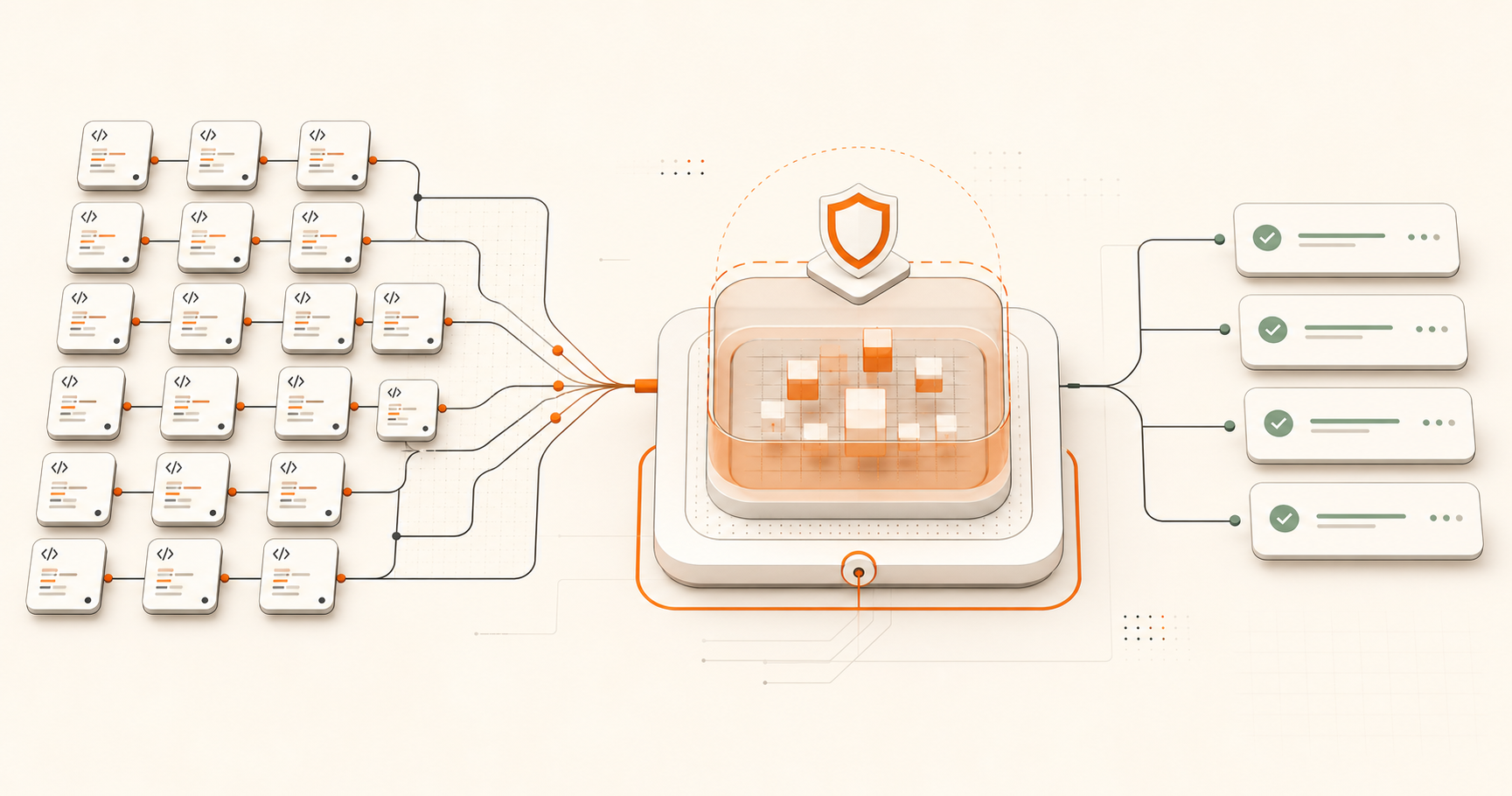
Rustbox gives EdTech teams a dedicated API for running student code and returning structured results. Your product can focus on lessons, hints, grading, progress, and teacher workflows.
Student Workspace Safety Enforcements
To maintain responsive infrastructure, Rustbox enforces strict, highly optimized boundaries around every student run. This guarantees that student bugs (like infinite loops or memory allocations) remain fully sandboxed and never impact system availability:
Concurrent student runs per minute during grading lecture peaks.
Strict limit terminating infinite loops (e.g. `while True`) instantly.
Memory ceiling to intercept student memory leaks gracefully.
Isolated namespaces, ensuring student answers cannot read peer data.
The hidden scaling problem in coding education
Code execution in education has a bursty traffic pattern. A lesson opens, an instructor gives a prompt, and dozens or thousands of students run code in the same window. The system needs to handle a spike, return feedback, and keep the rest of the platform responsive.
It is also multi-language by nature. One course may need Python. Another may need JavaScript. A university program may need C, C++, Go, or Rust. Building and maintaining all of those paths in-house can consume the same engineering time that should go toward learning design.
Rustbox is useful because it standardizes the execution request and result. The course layer can stay course-specific while the execution layer stays consistent.
How Rustbox helps EdTech teams
Rustbox supports common education workflows: run a code cell, test a student submission, capture stdout and stderr, show a verdict, and record timing or memory fields when they are useful for feedback.
That creates a cleaner product boundary. Your lesson builder defines the prompt. Your grading system defines the expected behavior. Rustbox handles execution and returns the result.
| Use case | Student need | Rustbox fit |
|---|---|---|
| Practice labs | Immediate feedback while learning. | Sync execution for quick runs. |
| Assignments | Final submission and grading. | Async execution tied to attempt records. |
| Classroom scale | Many students running code together. | API and webhook patterns for batch results. |
Student code workflows Rustbox can support
Rustbox works well when your EdTech product needs code execution to be part of a learning loop rather than a separate developer tool.
- Interactive code examples inside a lesson page.
- Practice exercises that compare output against expected output.
- Project checkpoints where students submit code for review.
- Teacher dashboards that show recent execution results.
- AI-assisted tutoring that runs short examples before explaining them.
The best experience is not just "run code." It is "run code, explain the result, and help the student make the next useful change."
How to add Rustbox to an EdTech platform
Start with a single lesson or lab. Add a backend endpoint that accepts the student's code, attaches the lesson context, and sends a request to Rustbox. Keep API keys server-side and return only the result fields your UI needs.
For quick practice runs, use sync execution. For homework submission, use async execution and store the returned execution ID with the student's attempt. For large classrooms or grading jobs, use webhooks so your backend receives completed results as they arrive.
Once the flow works, expand by language and course. Rustbox supports multiple languages through the same API shape, which keeps your learning product from accumulating one-off execution paths.
Frequently asked questions
Can Rustbox run code for classroom programming labs?
Yes. Rustbox can run student code from lesson, lab, or assignment flows and return structured results that your platform can display or grade.
Should students call Rustbox directly from the browser?
No. Route requests through your backend so API keys stay private and your product can apply user, course, and assignment rules.
Can Rustbox support multiple programming courses?
Yes. Rustbox supports multiple languages through one API, which makes it easier to serve different courses without maintaining a separate runner per course.
Run student code with Rustbox
Use the Rustbox docs to add a first execution flow to lessons, labs, or student projects.
Open Rustbox quickstart